01 / 06
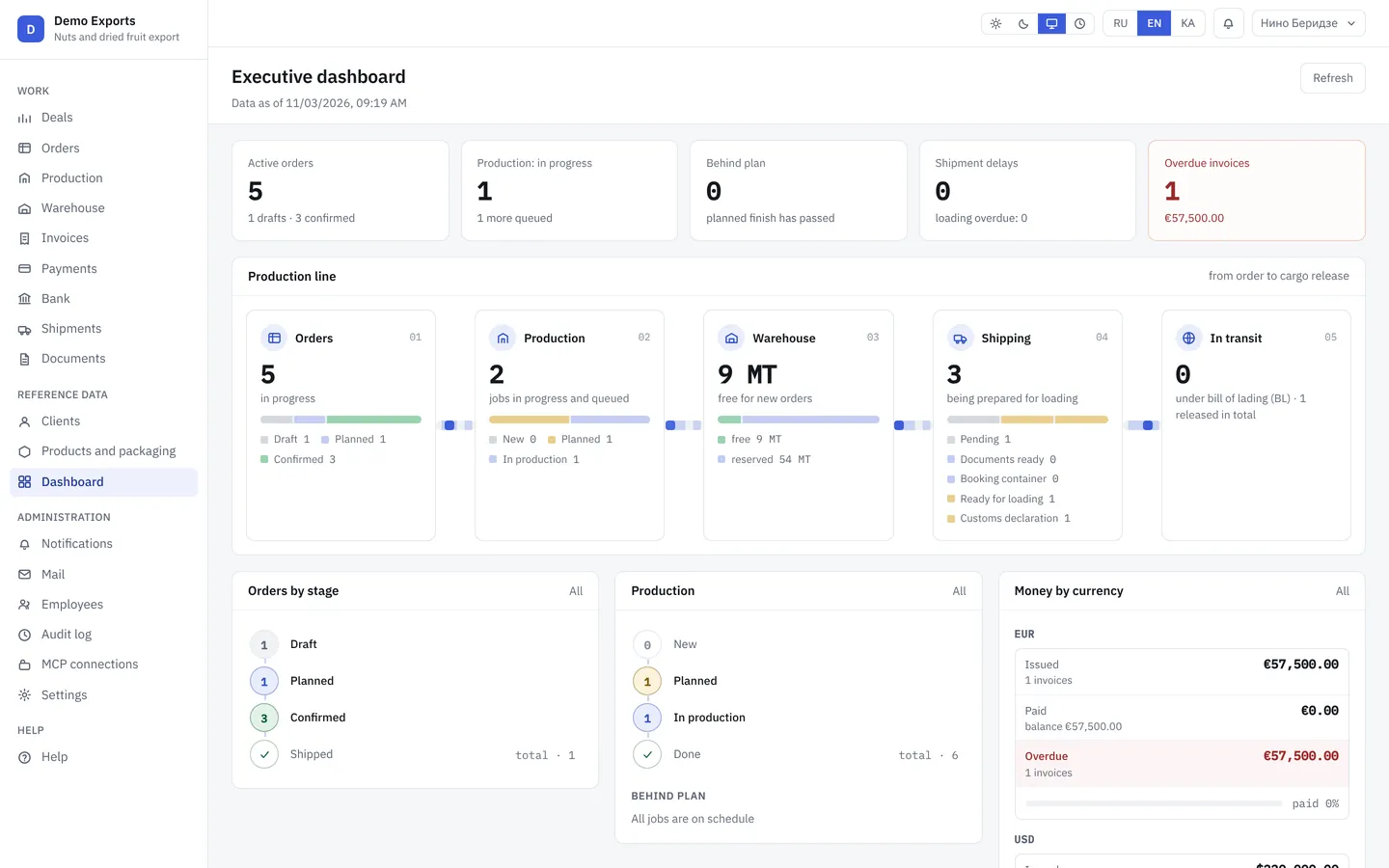
Executive dashboard
The morning starts on one screen: how many orders are in progress, what is behind plan, which invoices are overdue and how much money came in. No calls to staff, no Excel reports.
Orders, production, stock, invoices, bank and shipments on one director’s dashboard. Your server, three languages, no per-user fees.
Calls Mediterraneo Srl and agrees on payment by Friday. Tells logistics: don’t load the truck for this order yet.
One production day on the director’s phone
The ERP is already running at an exporter in Georgia. This is what matters from the director’s seat. We show the other sections on a demo.
The morning starts on one screen: how many orders are in progress, what is behind plan, which invoices are overdue and how much money came in. No calls to staff, no Excel reports.
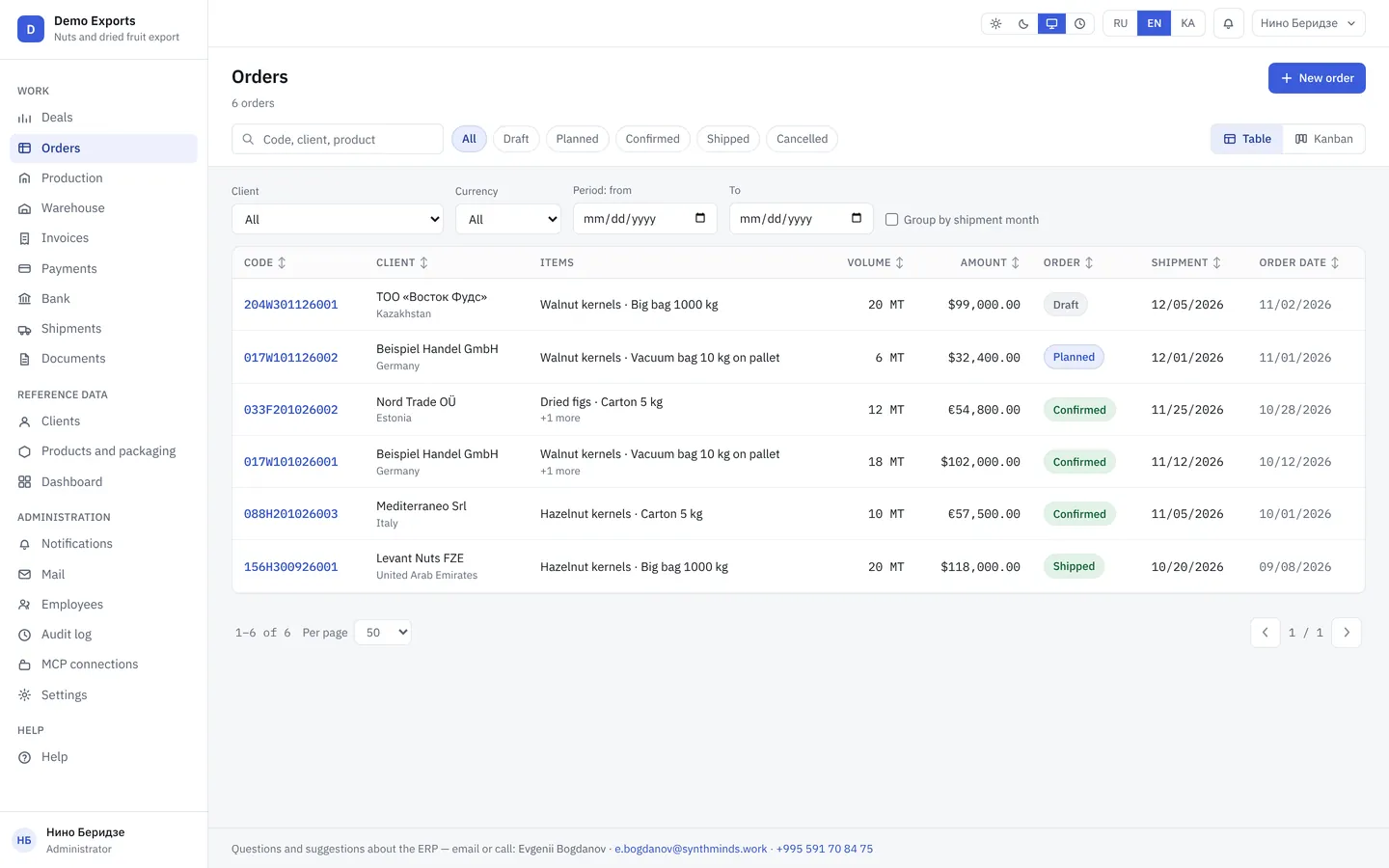
The order number reads without decoding: customer, product, packaging, month. The status changes on its own as production and shipping progress, so the director sees delays before the client calls.
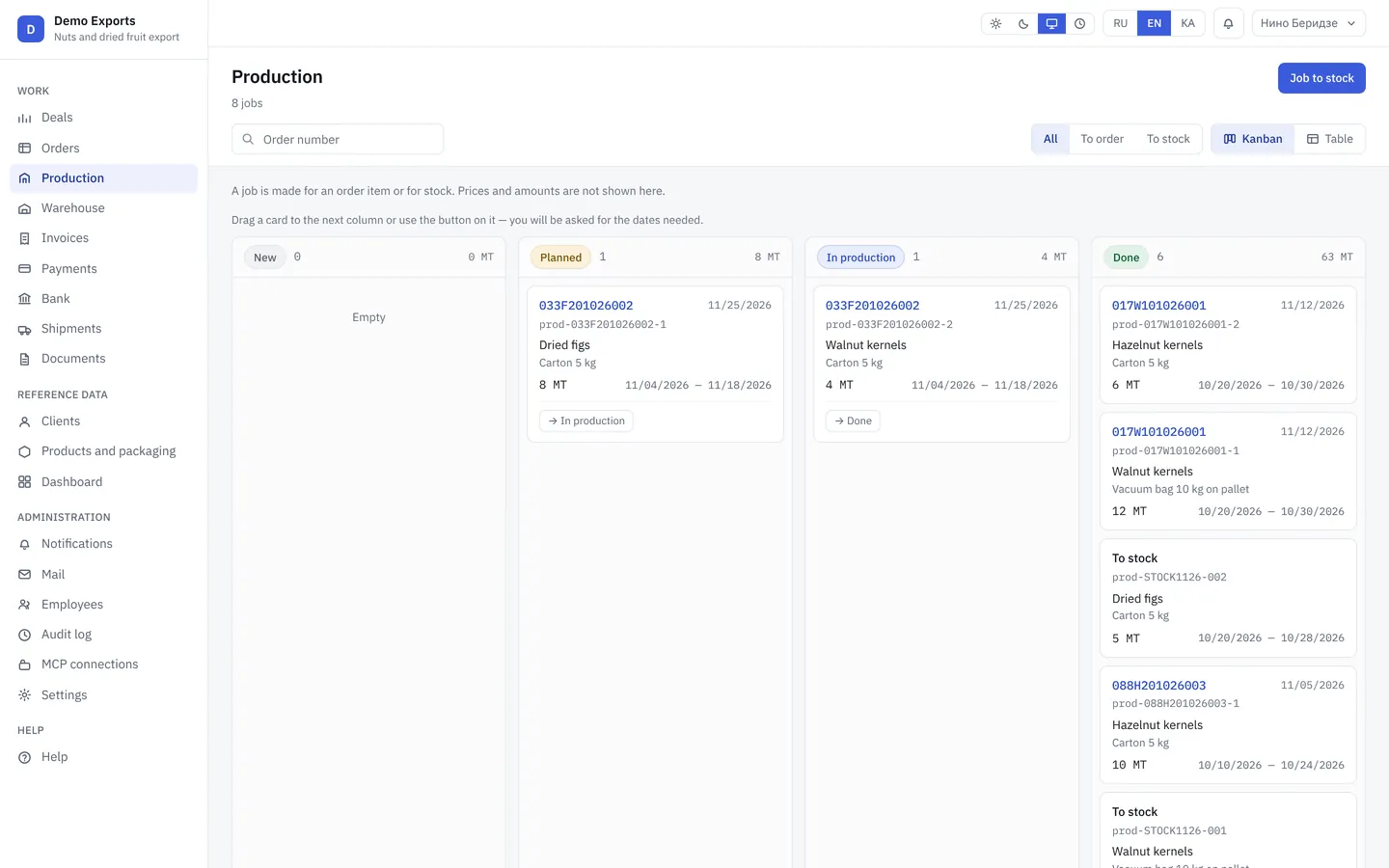
Jobs are created from the order automatically. Plan and actual tonnes, the ready date and what is behind are visible. The foreman marks completion, the dashboard updates.
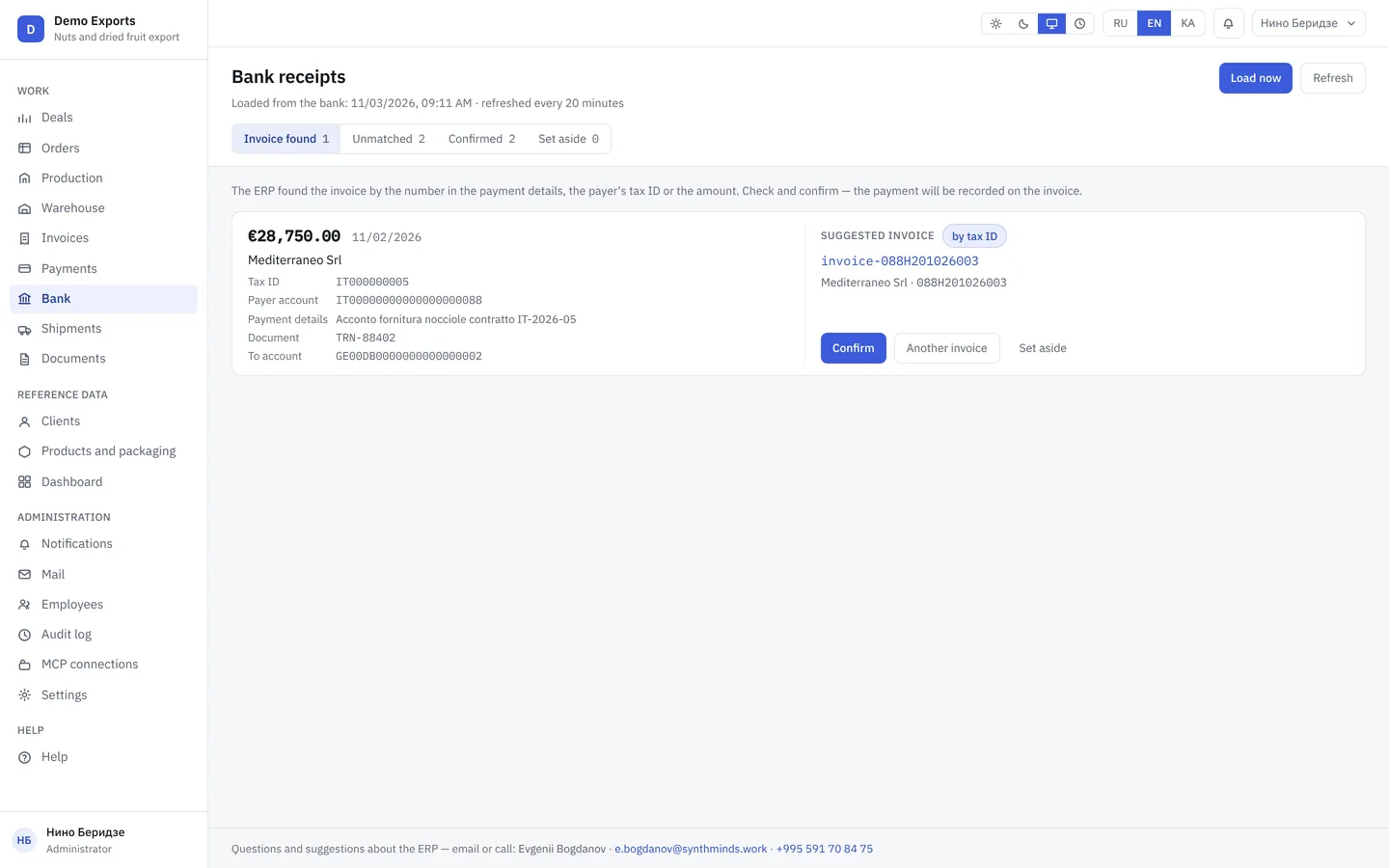
The statement loads on its own, no manual entry. The ERP matches the invoice to the payment itself, the accountant only confirms. The director sees who paid and who is late the same day.
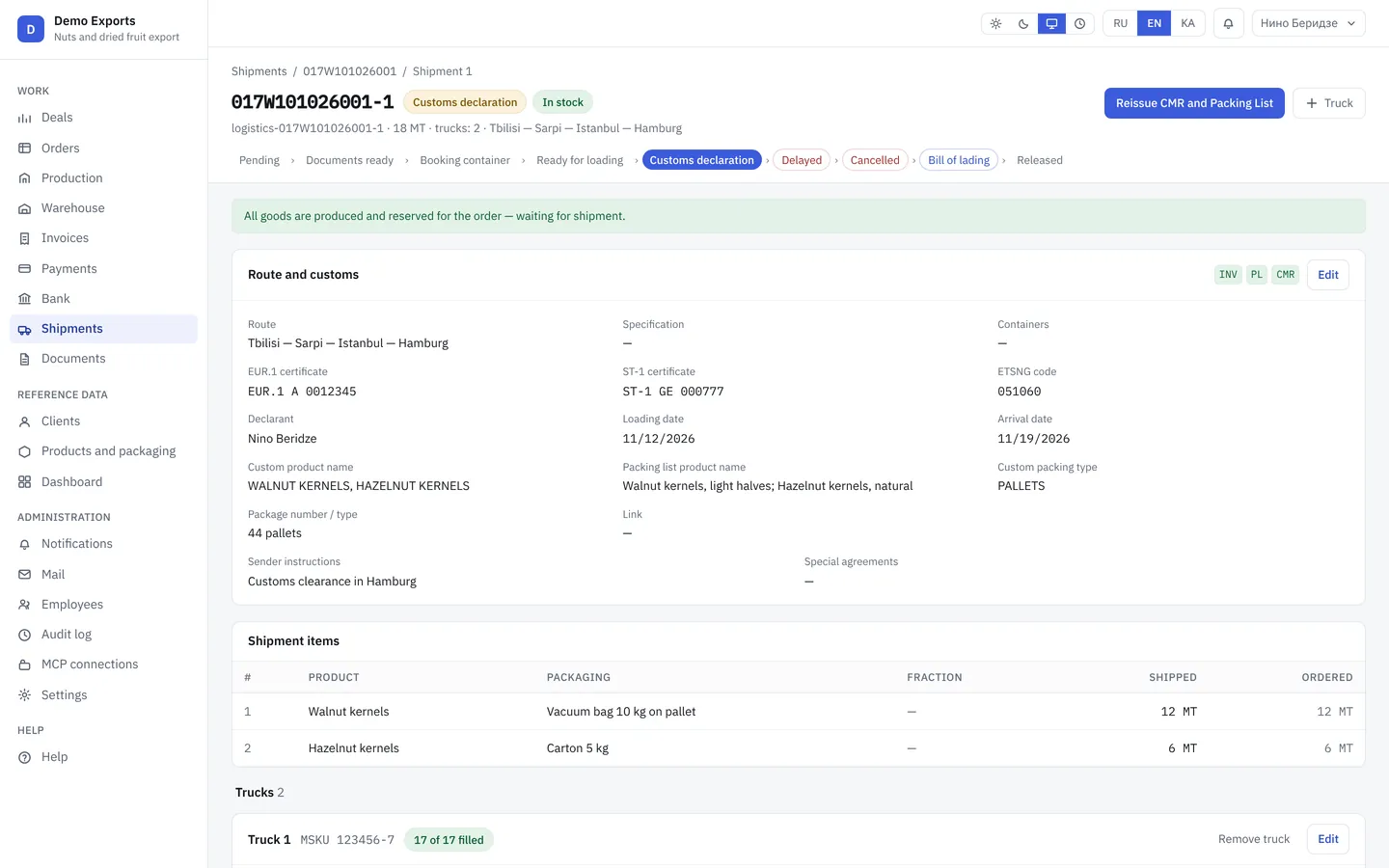
Trucks, containers, route and customs for every shipment. Status from “ready for loading” to “released”. Logistics runs it, the director watches.
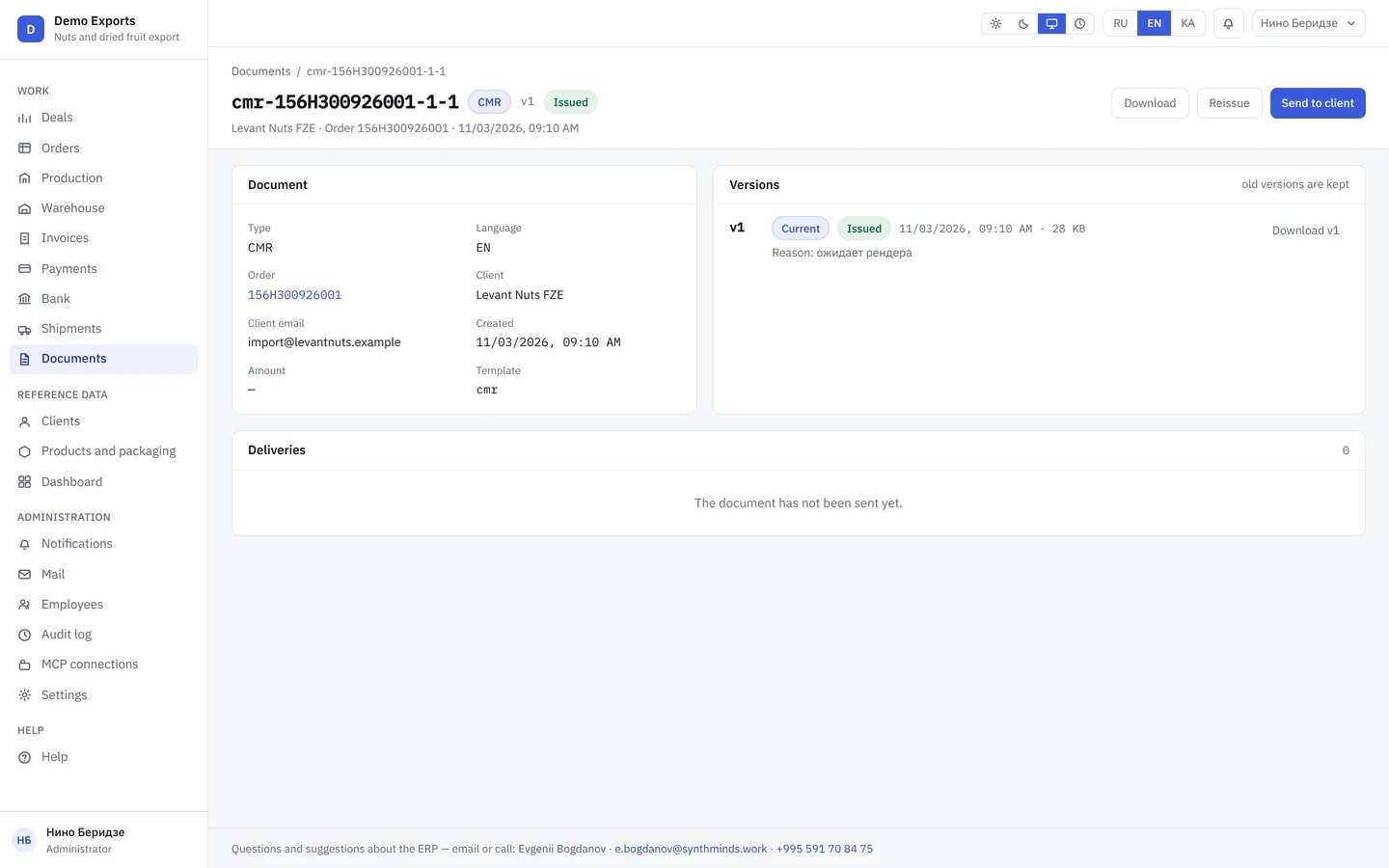
Invoice, Packing List and CMR are generated from the order in seconds, in the client’s language, without copying by hand. A re-issue is kept as a new version.
Invoice, Packing List and CMR from one order. Generated by the system on demo data.
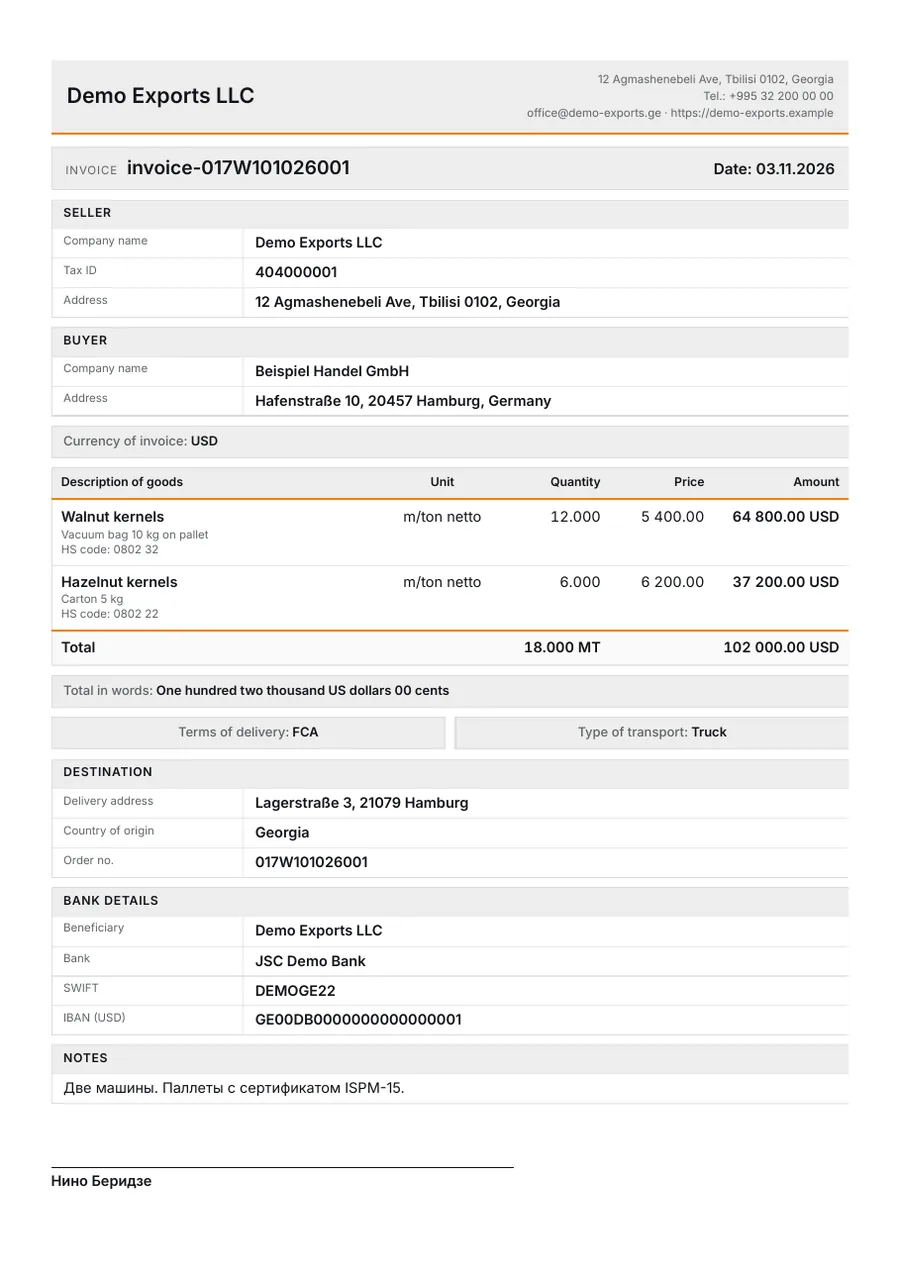
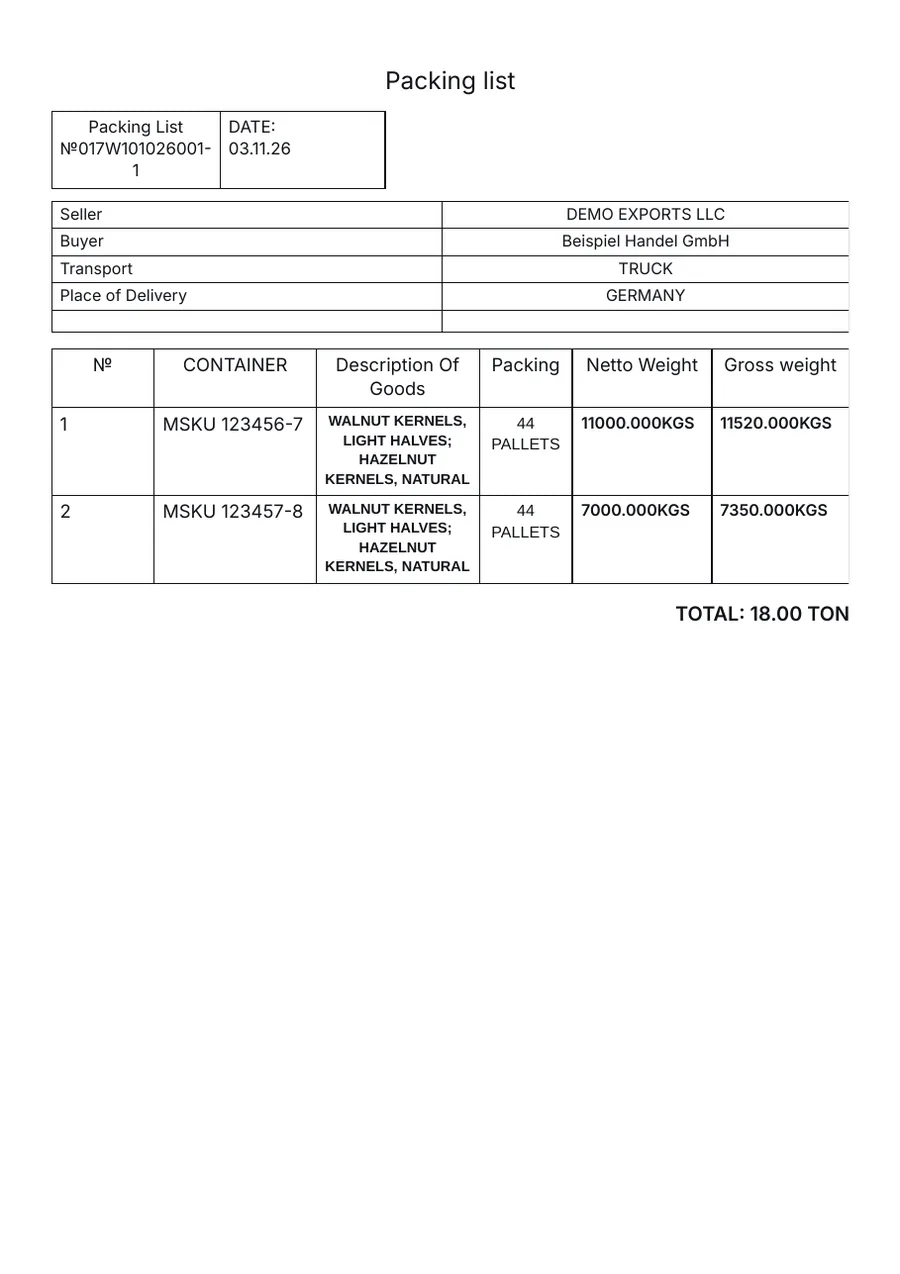
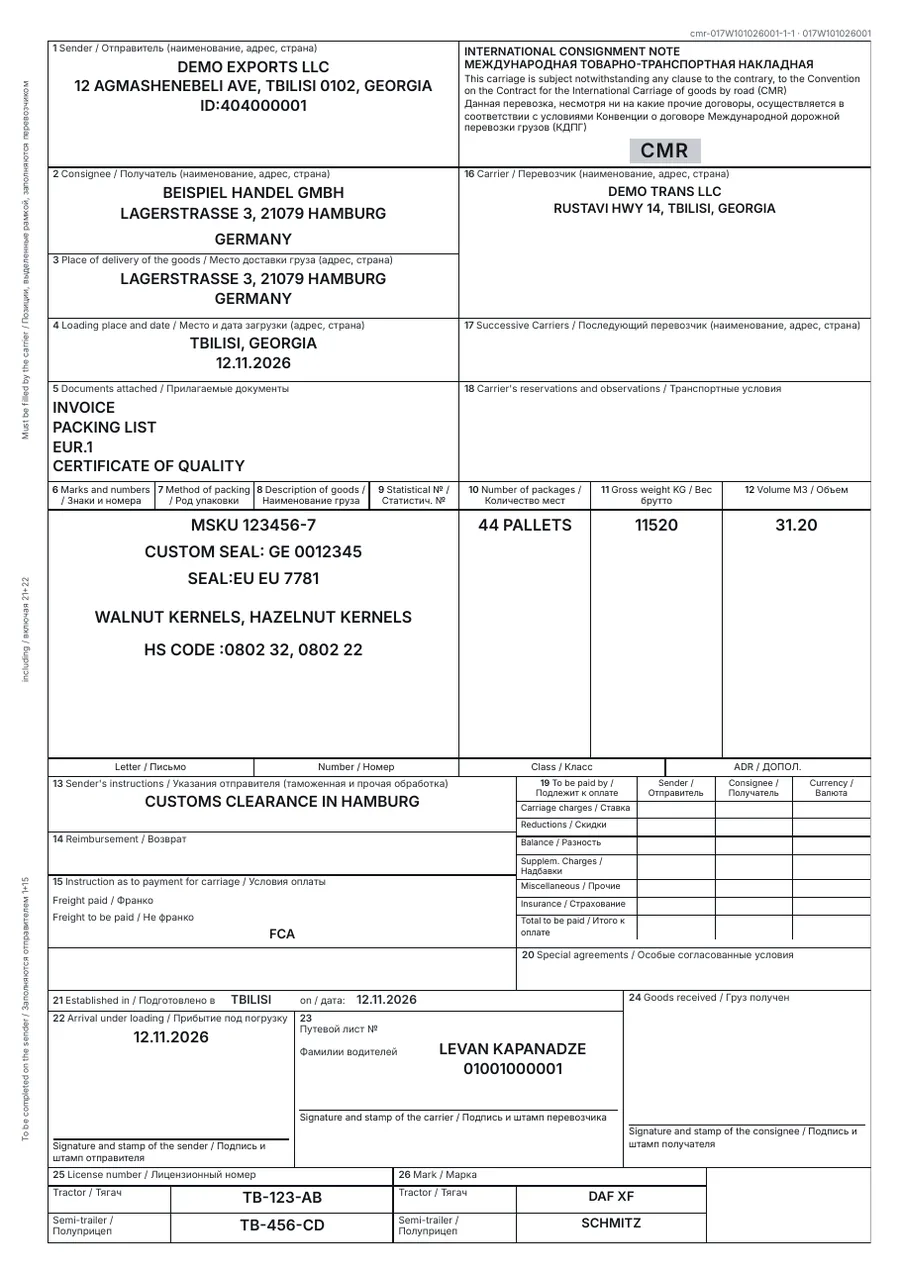
Demo data. The document language comes from the customer card, not from the employee’s language. Quality certificates, EUR.1 and ST-1 are issued by the Chamber of Commerce; their numbers are stored on the shipment.
AI agents take on the work of a sales director, a finance director and a first-line manager. An agent connects to the ERP like one more employee with limited rights: it reads orders, invoices, the bank statement and company documents, spots problems on its own, drafts emails and calculations and brings them to you for approval. Every figure has a source, and when there is no data the agent says so.
Agents run on our platform (interface in Russian and English), the ERP stays on your server. Connected on request after the ERP implementation: interview, setup on your documents, pilot, live in two weeks. Price after the interview.
We are ready to build CRM, ERP and PMS systems around your business processes. The code and the data stay with you.
For: trading companies, distributors, agencies
Deals, website leads, customer cards and contract terms. A won deal becomes an order in one click.
More about the CRMFor: hotels with 30–150 rooms
Rooms, bookings, guests, folios and reports. Georgian and Russian interface, Georgian accounting rules.
For: those paying per user for someone else’s software
We rewrite it into your own system built from your requirements. We leave your accounting alone and work beside it.
You see the system on demo data and decide whether to keep talking.
We talk to your people: who does what and where time is lost. Not to someone else’s software.
Company details, roles, payment terms and documents set up for your company.
We move data from Monday, Excel or your previous system. The old one stays on until everything reconciles.
The developer’s contacts are on every page of the system. You are never left alone.
Balance, Oris and 1C keep the books and file reports to rs.ge. The Rewrite Factory ERP runs the order itself: deal, production, warehouse, invoices, bank, shipment and export documents. We do not replace the accounting program; we work beside it.
The price is fixed and quoted after a 30-minute walkthrough and a process review. There is no fee per user; support is paid yearly. If the numbers show the system will not pay off, we say so up front.
On your server or in your cloud. The code lives in your Git. Database and document backups run daily and are kept for 30 days.
No. We configure and support the system: yearly support covers updates, backups and a developer’s reply on a working day. The code and the data remain yours.
The interface is in Georgian, English and Russian; each employee picks their own. Documents print in the customer’s language from the customer card: an invoice to a German buyer goes out in English even if the manager works in Georgian.
Yes. The ERP exposes data to agents over MCP: list orders and stock, create an order or shipment, render a document. Each agent has a role, money actions are enabled separately, and every call is logged.
It depends on the size of your catalogs and the data to migrate. We fix the timeline together with the price before work starts. The old system stays on until everything reconciles.
A team from Tbilisi. More than ten years implementing SAP at large companies, now building our own systems for mid-sized businesses.